
Seed List
Global
Yahoo
Outlook
Gmail
AOL
North America
Rogers
GMX.com
Comcast/Xfinity
Telenet.be
Bluewin.ch
AT&T
iCloud
Teksavvy
GMX.net
Cox
Cogeco
Bell
Corporate
Turbify (Yahoo Small Business)
TrendMicro
Symantec
Spamassassin
SpamHero
Sophos
Rackspace
Proofpoint
Mimecast
Microsoft 365
Google Workspace
Earthlink
Cloudmark
Bluetie
Bitdefender
Barracuda
AWS WorkMail
1&1
Europe
Yandex.com
TalkTalk
T-Online.de
Sunrise.ch
Sol.dk
Posteo.net
Outlook.de
Onet.pl
Libero.it
Laposte.net
Interia.pl
GMX.de
GMX.ch
GMX.at
Eclipso.de
Centrum.cz
BT Internet
Yandex.ru
Wp.pl
Web.de
Sfr.fr
Seznam.cz
Sapo.pt
Rambler.ru
Proximus.be
Plusnet UK
Orange.fr
O2.pl
Netcourrier.com
Mail.ru
Lycos.com
JubiMail
Freenet.de
Free.Fr
Fjordmail
Asia
Yeah.net
Yaani.com
RediffMail
Outlook Japan
Netease (163/126.com)
Naver.com
Kakao
Aliyun
Oceania
iiNet
iPrimus.com.au
Telstra.com.au (Big Pond)
TPG.com.au
Optusnet.com.au
Fastmail.com.au
Aussie Broadband
South America
Vera.com.uy
Uol.com.br
Terra.com.br

Self-Service Creative Suite
Start your best
email workflow
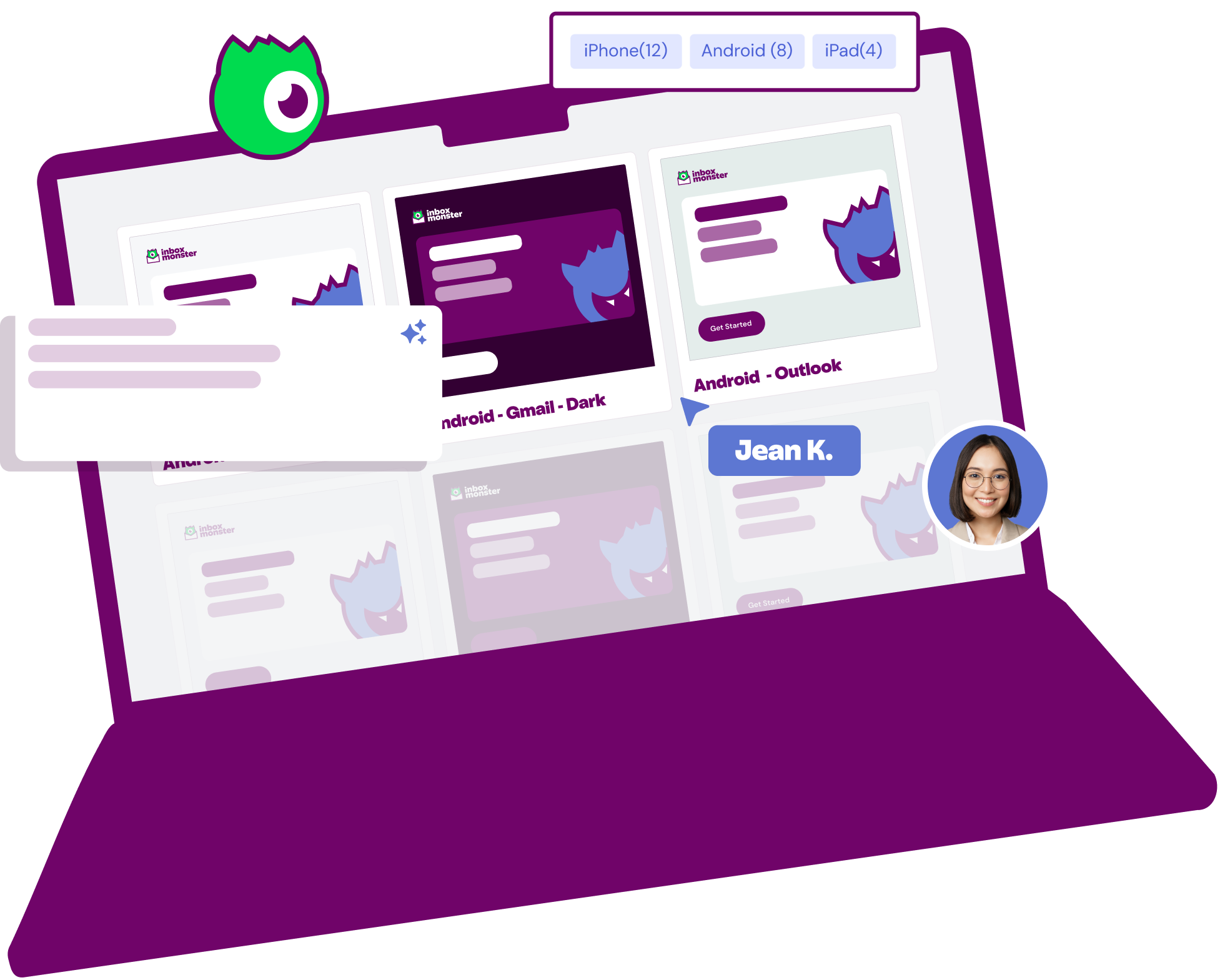
Looking for a flexible, powerful rendering tool built for email teams? Explore the email testing platform that helps you send with confidence. Choose the plan that fits your needs and get started instantly—no contracts, sales calls or complex onboarding required.
15,000 previews
- Team QA & collaboration tools
- 120+ modern device renderings
- AI summary previews
- Enterprise diagnostic tools
- Accessibility analysis
- Click-through terms
- Editing & sharing
- Click map CTA analysis

30,000 previews
- Team QA & collaboration tools
- 120+ modern device renderings
- AI summary previews
- Enterprise diagnostic tools
- Accessibility analysis
- Click-through terms
- Editing & sharing
- Click map CTA analysis

Custom previews
- All Essential & Advanced features
- Live device previews
- Language translation tool
- Approvals & QA workflow management
- Intelligent content analysis
- Single sign-on and multifactor authentication
- ESP integrations
- Integration & onboarding support
- Subaccount organization
- Enterprise procurement support

Supporting world-class email makers






All Devices
Webmail
Mac - Tahoe Chrome AOL List
Mac - Tahoe Chrome Yahoo List
Mac - Tahoe Chrome Outlook List
Mac - Tahoe Chrome Gmail List
Windows - 2022 Chrome Gmail
Mac - Tahoe Chrome Outlook Dark
Mac - Tahoe Edge AOL
Mac - Tahoe Edge Yahoo
Mac - Tahoe Edge Outlook
Mac - Tahoe Edge Gmail
Mac - Tahoe Firefox AOL
Mac - Tahoe Firefox Yahoo
Mac - Tahoe Firefox Outlook
Mac - Tahoe Firefox Gmail
Mac - Tahoe Chrome AOL
Mac - Tahoe Chrome Yahoo
Mac - Tahoe Chrome Outlook
Mac - Tahoe Chrome Gmail
Desktop
Windows - 2022 120dpi Outlook 2019
Windows - 2022 Outlook 2019
Windows - 2022 120dpi Outlook 2021 Dark
Windows - 2022 120dpi Outlook 2021
Windows - 2022 Outlook 2021 Dark
Windows - 2022 Outlook 2021
Windows - 2022 120dpi Outlook 365 Dark
Windows - 2022 120dpi Outlook 365
Windows - 2022 Outlook 365 Dark
Windows - 2022 Outlook 365
Mac - Tahoe Outlook 365 Dark
Mac - Tahoe Outlook 365
Mac - Tahoe Mail Dark
Mac - Tahoe Mail
Mobile
iOS 26 - iPhone 17 Mail List
iOS 26 - iPhone 17 Outlook List
iOS 26 - iPhone 17 Gmail List
iOS 26 - iPhone Air Mail Dark
iOS 26 - iPhone Air Mail
iOS 26 - iPhone 17 Pro Mail
iOS 26 - iPhone 17 Pro Max Mail Dark
iOS 26 - iPhone 17 Pro Max Mail
iOS 26 - iPhone 17 Outlook Dark
iOS 26 - iPhone 17 Outlook
iOS 26 - iPhone 17 Gmail
iOS 26 - iPhone 17 Mail Dark
iOS 26 - iPhone 17 Mail
Android 16 - Pixel 10 Outlook List
Android 16 - Pixel 10 Gmail List
Android 15 - Pixel 8 Outlook AI
Android 15 - Galaxy S25Ultra Outlook Dark
Android 15 - Galaxy S25Ultra Outlook
Android 15 - Galaxy S24Ultra Outlook Dark
Android 15 - Galaxy S24Ultra Outlook
Android 15 - Galaxy S25Ultra Gmail Dark
Android 15 - Galaxy S25Ultra Gmail
Android 15 - Galaxy S24Ultra Gmail Dark
Android 15 - Galaxy S24Ultra Gmail
Android 14 - Pixel 8 Pro Outlook Dark
Android 14 - Pixel 8 Pro Outlook
Android 14 - Pixel 8 Pro Gmail Dark
Android 14 - Pixel 8 Pro Gmail
Android 14 - Pixel 8 Outlook Dark
Android 14 - Pixel 8 Outlook
Android 14 - Pixel 8 Gmail Dark
Android 14 - Pixel 8 Gmail
Android 14 - Pixel 7 Outlook Dark
Android 14 - Pixel 7 Outlook
Android 14 - Pixel 7 Gmail Dark
Android 14 - Pixel 7 Gmail
iOS 18 - iPad Pro (12.9-inch) (6th Gen) Mail
iOS 18 - iPad Pro (11-inch) (4th Gen) Mail
iOS 18 - iPad (10th Gen) Mail Dark
iOS 18 - iPad Air (5th Gen) Mail
iOS 18 - iPhone 16 Gmail AI
iOS 18 - iPhone 16 Mail AI
iOS 18 - iPhone 16 Outlook Dark
iOS 18 - iPhone 16 Outlook
iOS 18 - iPhone 16 Gmail Dark
iOS 18 - iPhone 16 Gmail
iOS 18 - iPhone 16 Pro Max Mail Dark
iOS 18 - iPhone 16 Pro Max Mail
iOS 18 - iPhone 16 Pro Mail
iOS 18 - iPhone 16 Plus Mail
iOS 18 - iPhone 16 Mail Dark
iOS 18 - iPhone 16 Mail
iOS 17 - iPhone 15 Outlook Dark
iOS 17 - iPhone 15 Outlook
iOS 17 - iPhone 15 Gmail Dark
iOS 17 - iPhone 15 Gmail
iOS 18 - iPhone 15 Pro Max Mail Dark
iOS 18 - iPhone 15 Pro Max Mail
iOS 18 - iPhone 15 Pro Mail
iOS 18 - iPhone 15 Plus Mail
iOS 18 - iPhone 15 Mail Dark
iOS 18 - iPhone 15 Mail
iOS 17 - iPhone 14 Outlook Dark
iOS 17 - iPhone 14 Outlook
iOS 17 - iPhone 14 Gmail Dark
iOS 17 - iPhone 14 Gmail
iOS 18 - iPhone 14 Pro Max Mail Dark
iOS 18 - iPhone 14 Pro Max Mail
iOS 18 - iPhone 14 Pro Mail
iOS 18 - iPhone 14 Plus Mail
iOS 18 - iPhone 14 Mail Dark
iOS 18 - iPhone 14 Mail
iOS 18 - iPhone 13 Pro Max Mail
iOS 18 - iPhone 13 Pro Mail
iOS 18 - iPhone 13 Mail
iOS 18 - iPhone 12 Pro Max Mail
iOS 18 - iPhone 12 Mini Mail Dark
iOS 18 - iPhone 12 Mail Dark
iOS 18 - iPhone 11 Pro Max Mail
iOS 18 - iPhone 11 Pro Mail
iOS 18 - iPhone 11 Mail
iOS 18 - iPhone SE (2nd Gen) Mail
iOS 18 - iPhone XS Max Mail
iOS 18 - iPhone 13 Pro Max Mail Dark
iOS 18 - iPhone 13 Mini Mail
iOS 18 - iPhone 13 Mail Dark
iOS 18 - iPhone 12 Pro Max Mail Dark
iOS 18 - iPhone 12 Pro Mail
iOS 18 - iPhone 12 Mini Mail
iOS 18 - iPhone 12 Mail
iOS 18 - iPhone 11 Pro Mail Dark
iOS 18 - iPhone 11 Mail Dark
iOS 18 - iPhone SE (3rd Gen) Mail
iOS 18 - iPhone XR Mail
iOS 18 - iPhone XS Mail
01
Team QA & collaboration tools
Team QA & collaboration tools
Say goodbye to endless spreadsheets and email chains with proofing and approvals built for email teams. Get a shareable link so other stakeholders can chime in, too.

02
device renderings
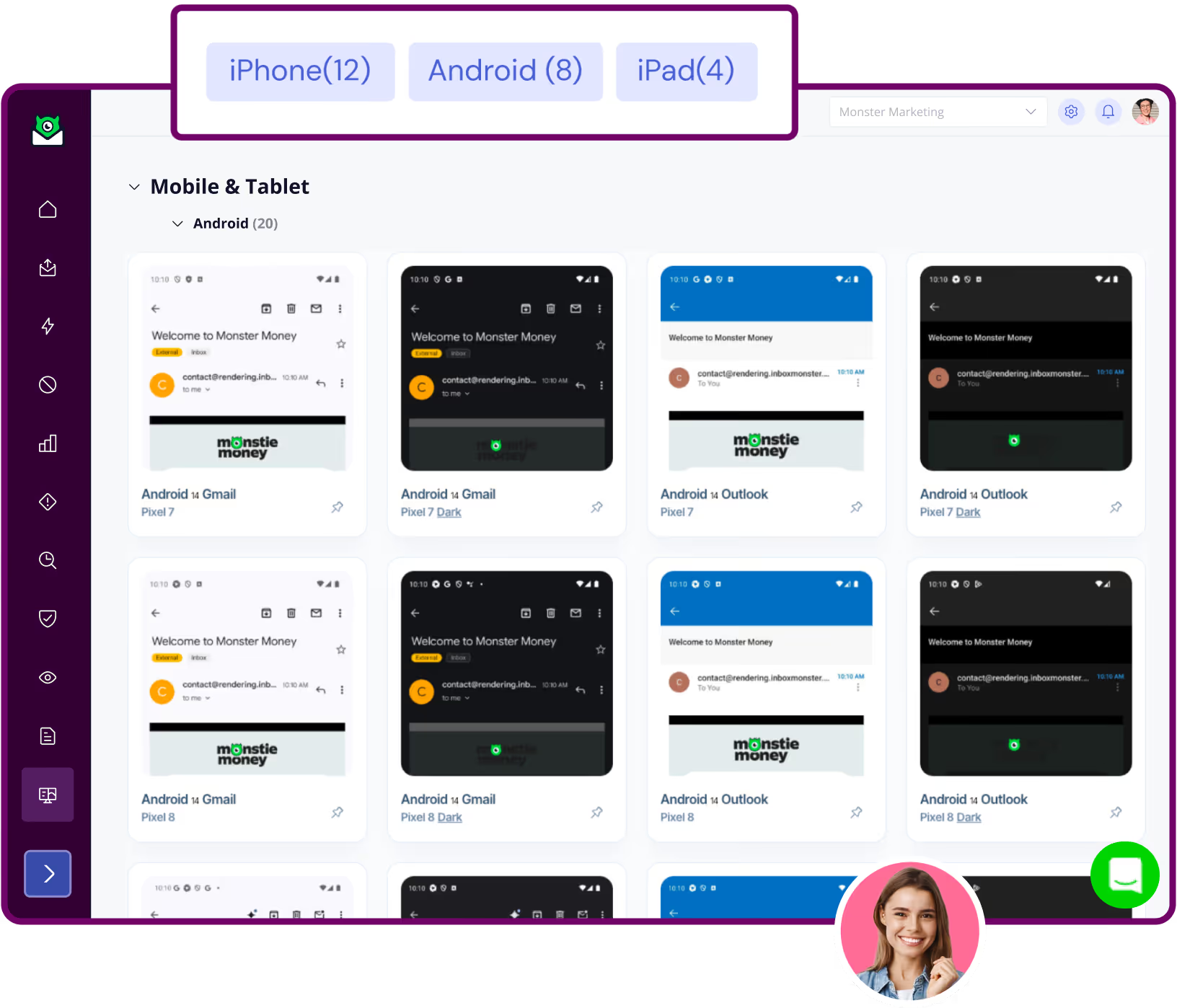
120+ modern device renderings
Get access to essential previews on every modern email client, including dark mode, so you know how your message shows up. Customize which previews you run, so you only see the devices that matter to you.
03
Apple & Gmail AI summaries
AI summaries
See how AI is interpreting your email before you press send, so you can optimize for this new reality for Apple, Gmail and Outlook.

04
Enterprise diagnostic tools
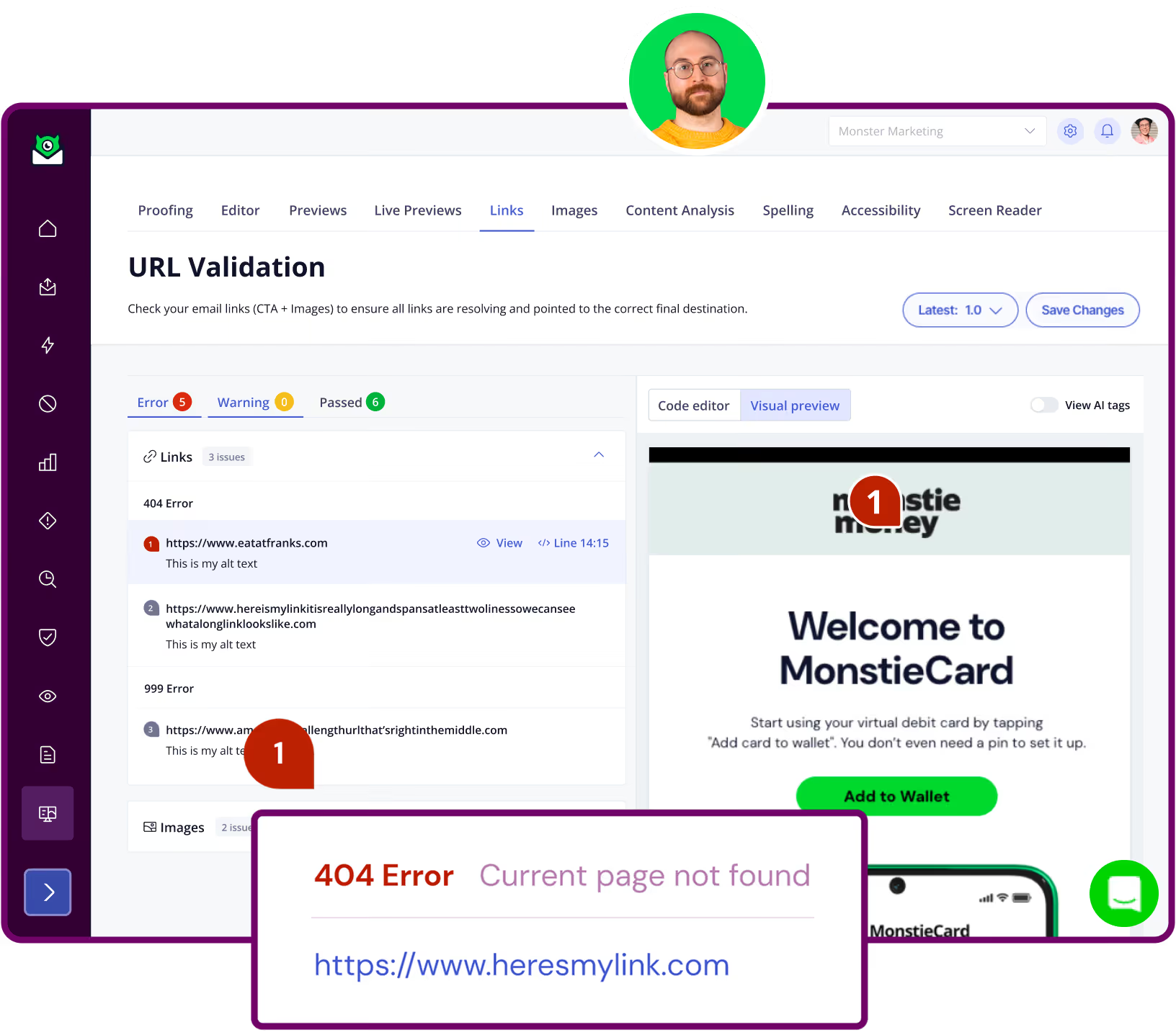
Enterprise diagnostic tools
Make sure every image and link are functioning as intended, so your email works its hardest and you don’t lose out on revenue.
05
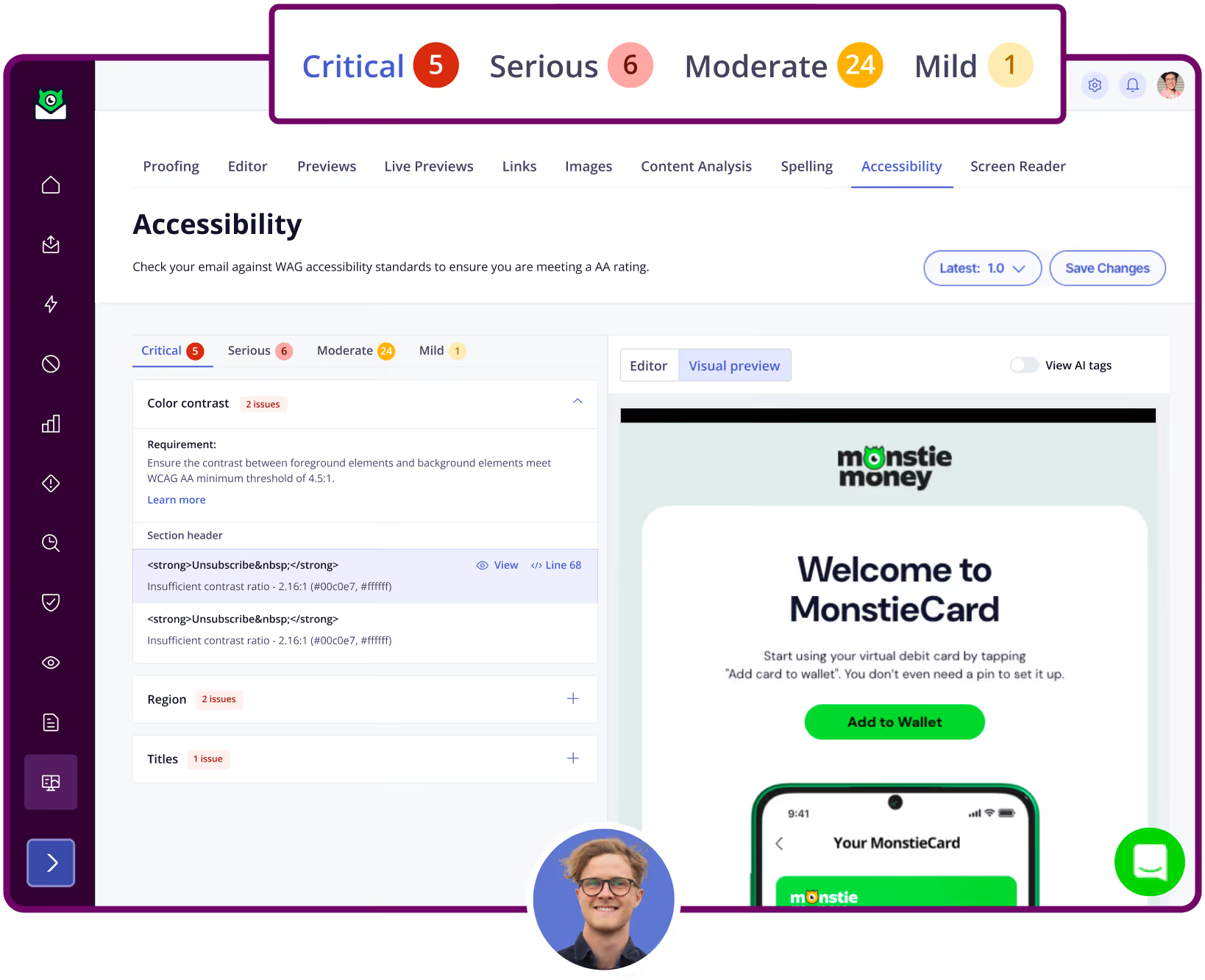
Accessibility analysis
Accessibility analysis
Build emails that work for everyone with critical WCAG AA checks, including a nifty screen reader.
06
ESP integrations
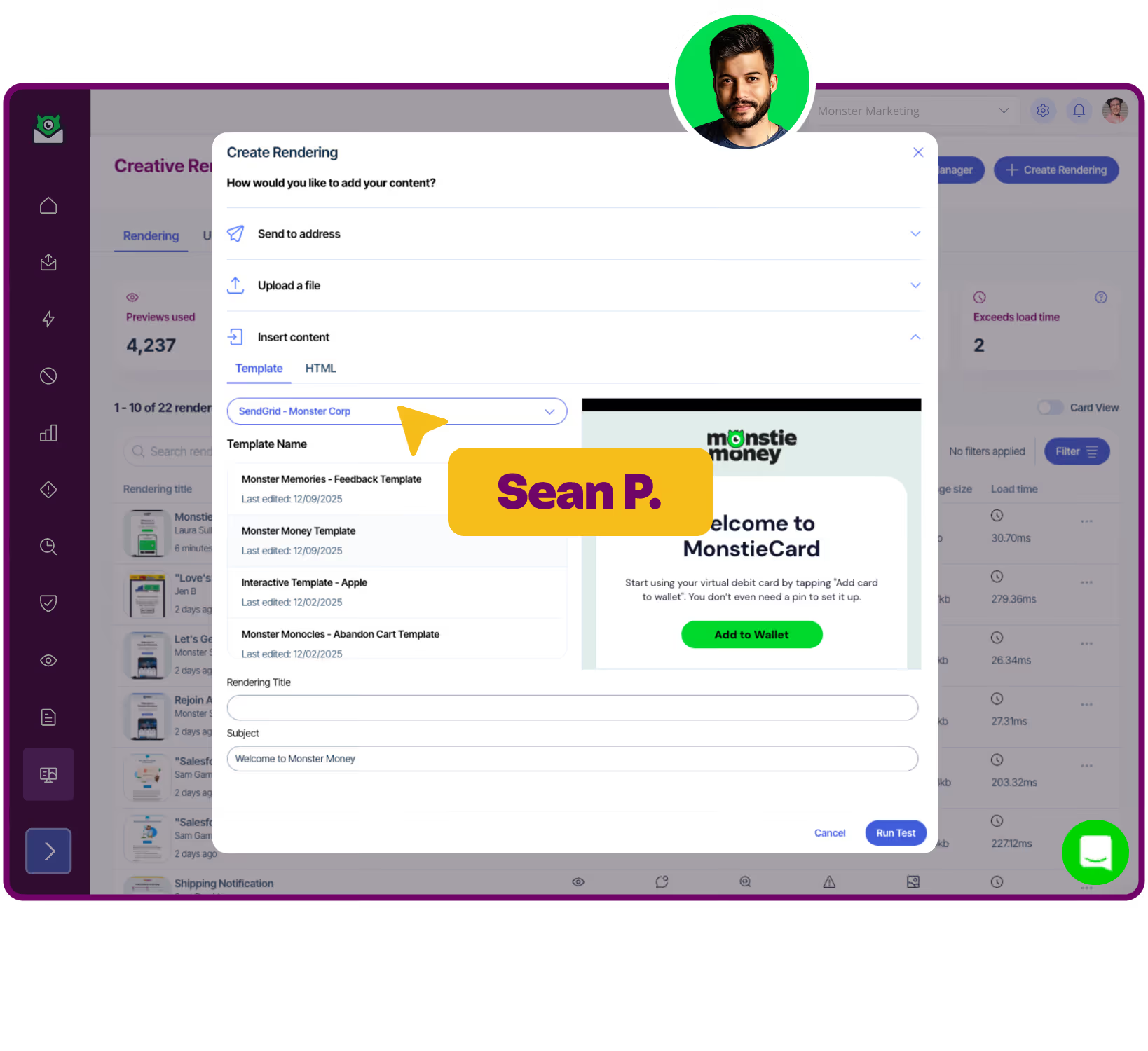
ESP integrations
Push and pull creative from your favorite tools, with built-in integrations with Salesforce, Braze, Iterable, SendGrid and more.






Making emails team work
Email teams are loving our creative tooling, and we love that!
Ready to get started?
Pick a plan. Start sending pixel-perfect emails.