When you imagine all the potential mistakes that could become an email marketer’s worst nightmare, sending a broken link or advertising an inaccurate price has to be high on that list.
An email is nothing without its call-to-action (CTA), and now Inbox Monster has the tool you need to ensure no CTA is MIA.
Inbox Monster’s Click Map lets you see where every link in your email actually lands—and whether the offer waiting there matches the one you promised.
With Click Map, you can:
- Choose which links to check
- Follow links to their destination
- Catch stale offers & inaccurate pricing
- Identify mismatches for easy fixes
Trace Every CTA to Its Intended Destination
Email teams know that a link can look perfect in a creative rendering but still land in the wrong place. Click Map follows each link through its redirect to the page it open, so you can confirm at a glance that it goes where it should.
And because it wouldn’t be an Inbox Monster product release without some Monstie flair, we decided to show you the power of Click Map with our own mock e-commerce site, Monstie Monocles.
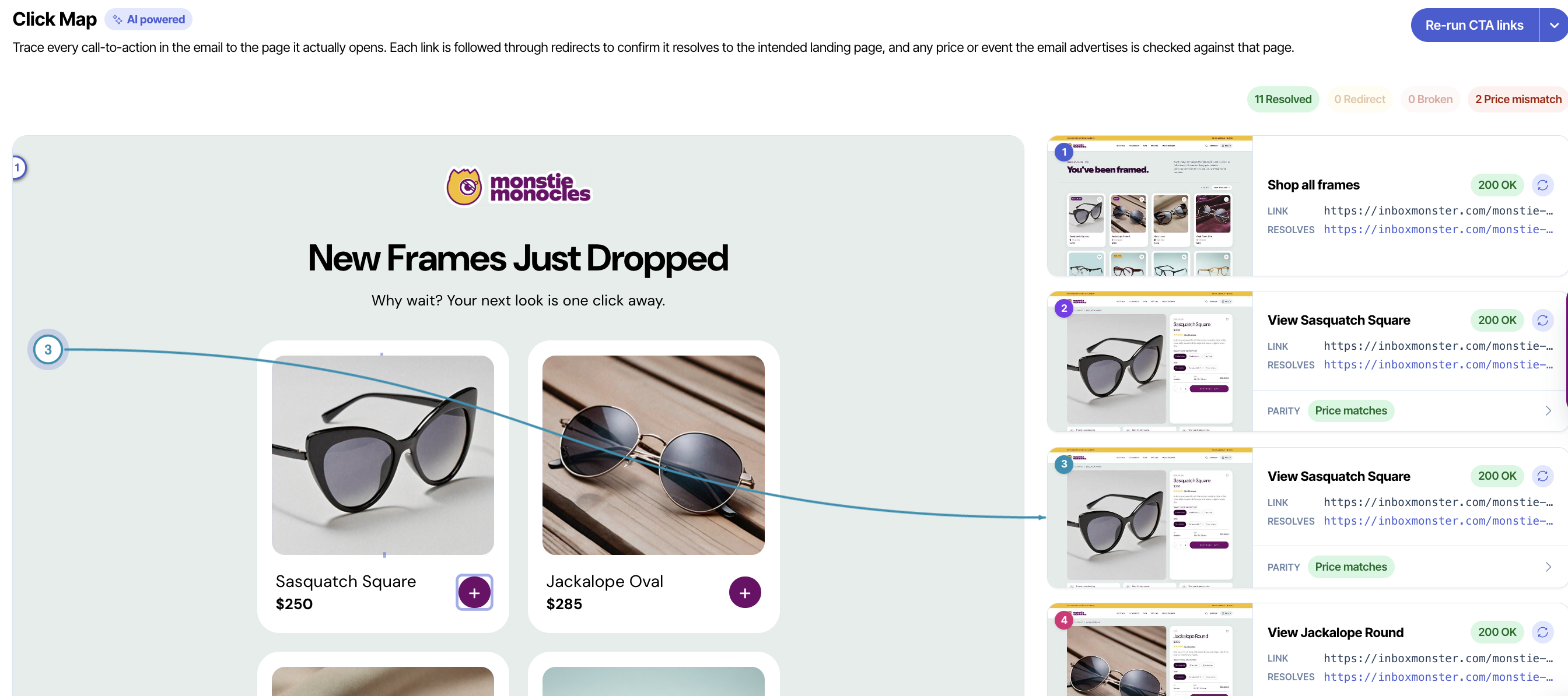
Checking an email for quality assurance used to be a time-intensive process. Now, you can choose how much of an email to check. You can run Click Map to test all links or just call-to-action links for higher efficiency.
Need a compliance check? Click Map can follow unsubscribe links too.
Click Map visits the links it picks up, follows any redirects and takes a full-page snapshot of wherever each link ends up, reading the offer on the page as it goes. No need to guess whether a price is listed correctly because Click Map’s got you covered.
Here’s how it works.
Reading the Click Map
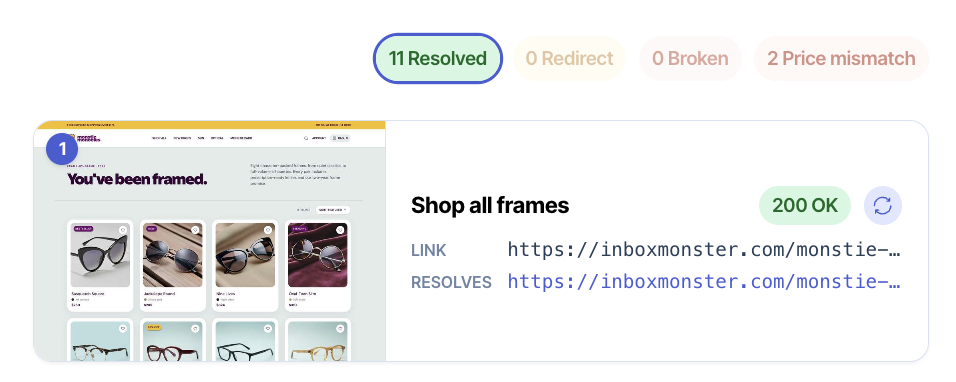
Within the Inbox Monster platform, Click Map matches an email to the landing pages it links to.
Each link will be given one of the following three statuses:
- Resolved: The link opened its page directly, with no redirect.
- Redirect: The link passed through one or more redirects before arriving. This is normal for tracked links, so most links will have this status.
- Broken: The page returned an error, or the server did not respond.
Of course, getting a subscriber to the right page is only half the battle. If an email says one price and a landing page says another, the link worked, but the campaign still failed.
That’s where Click Map saves the day again. When a link leads to a page carrying an offer, Click Map shows whether the result is a match or mismatch:
- A match: The landing page agrees with your email. Congrats!
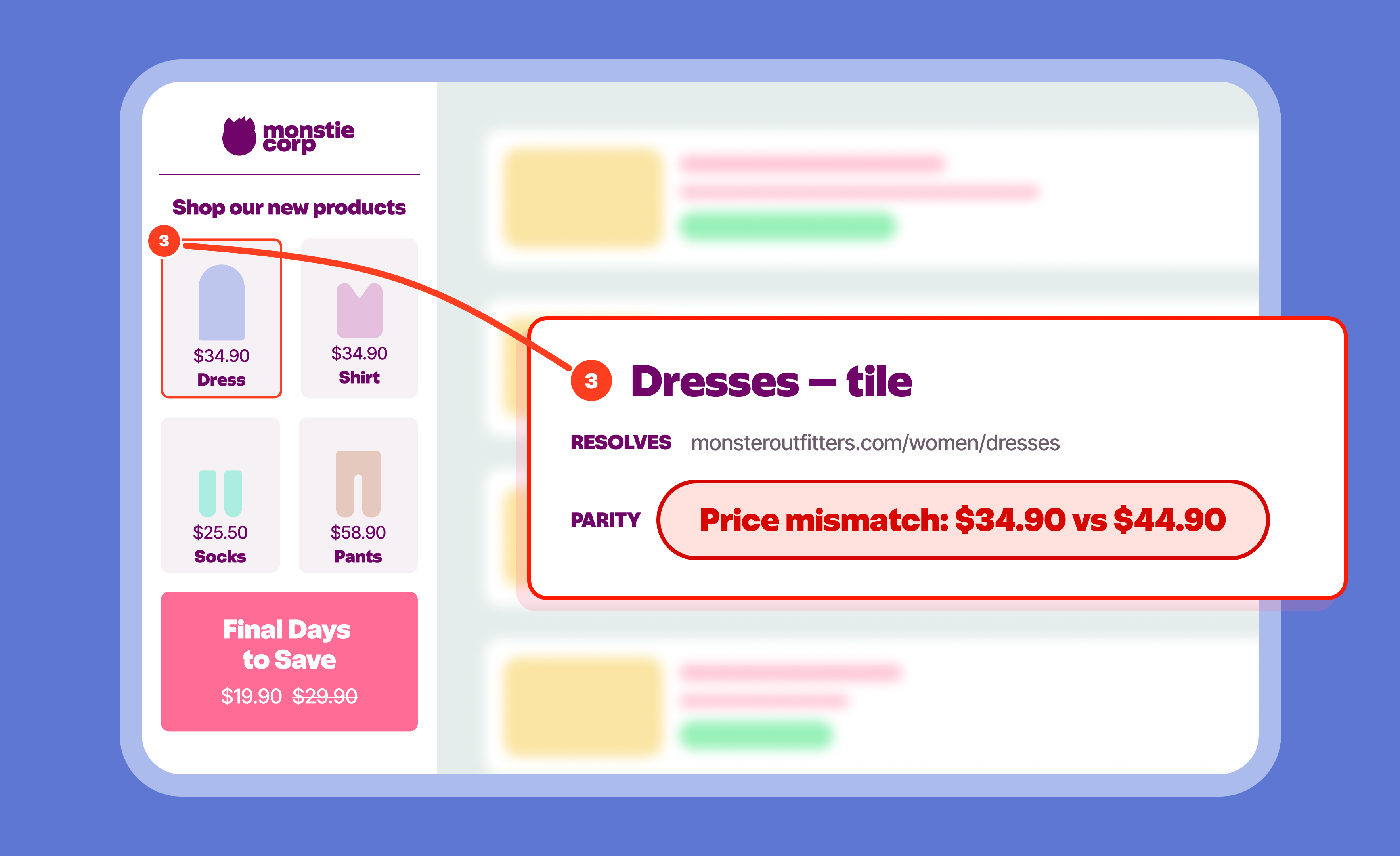
- A mismatch: The landing page and email disagree. Either a different price is listed, or an offer has changed since the creative was built. You can see both side-by-side and fix whichever is wrong.
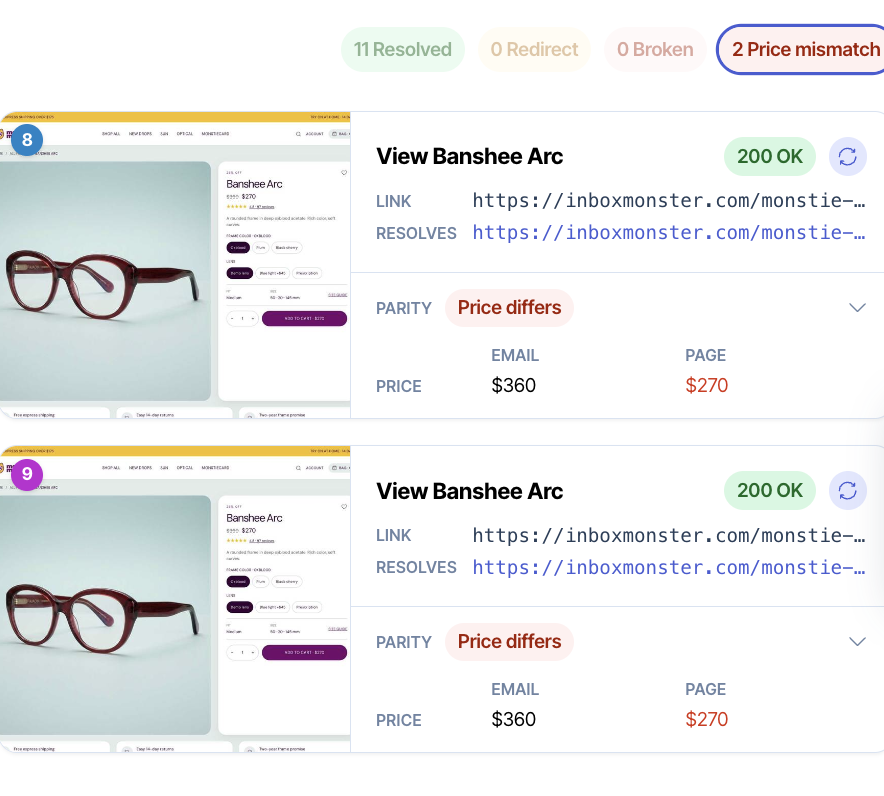
Now, you never have to worry about outdated offers or inaccurate pricing. Just run Click Map and send away.
Click Map: The Perfect Match for Email Teams
Click Map is a powerful tool for consumer businesses, but it’s only one part of Inbox Monster’s unparalleled Creative Suite. You also get access to image diagnostics, accessibility guidance, language translation and 120+ modern device previews—including AI summaries and live previews.
Creative Suite plans range from self-service so you can get started immediately to custom quotes for high-volume enterprise senders. But no matter the price point, you can invite your whole team to collaborate on email proofing and QA with unlimited seats.
If you’d like to test out Click Map and the rest of the Creative Suite, reach out to our team and schedule a demo today.
{{closer-look="/blog-ctas"}}
FAQs About Inbox Monster's Click Map
What kind of links can be checked with Click Map?
Inbox Monster’s Click Map can check all links in an email or just the call-to-action (CTA) links. You can also follow unsubscribe links if desired. Not every link leads to an offer, of course, so no offer mismatches will show for links to a preference center, help page or other non-commerce-related pages.
Why are my links showing as redirects?
Tracked links go through your email service provider’s (ESP’s) click-tracking domain before reaching the destination, which counts as a redirect. As long as Click Map confirms the right destination, the link is considered a match.
Why has a link come back as broken when it works in my browser?
Pages are snapshot as they’re loaded, outside of your individual session. Anything depending on being signed in, or on a regional redirect, can resolve differently. You can check the click map to see where a link actually went.
Do I need to run Click Map again after editing the creative?
Yes. Click Map reflects the links in the version that was scanned, so you should re-run it after changing any link or price. If only one landing page changed, you can re-check that single link on its own by using the refresh control.